Trust & Safety at CloseByDoor

A little care.
A lot more confidence.

Good connections start with clear information, thoughtful conversations, and the freedom to take your time.

Explore your safety tools
A buyer and seller talking about a vehicle in a bright public setting.
Take your time.
Make an informed next move.

Know a little more.

View seller profiles and look for identity verification status.

Keep it together.

Use your inbox to keep questions, details and replies in one place.

Speak up.

Report a conversation when something doesn’t feel right.

01 / A useful signal

Put a little more
confidence in a name.

Identity verification adds information to a profile. An identity verified badge means the account’s identity has been reviewed; it is one part of getting to know who you’re speaking with.

A badge does not confirm a vehicle’s ownership, condition, or history, and it does not guarantee a transaction. Always check the details that matter to you.

Identity documents and selfies submitted through verification are not displayed on public profiles. Other members see the verification status. Some sellers accept messages only from identity verified buyers.

02 / Start with a conversation

Keep the details.
Keep your peace of mind.

Ask questions in your inbox before making plans. Discuss the vehicle’s condition, what’s included, and anything that needs a closer look.

  • Keep important details in the conversation so you can refer back to them.
  • Never share passwords, sign-in codes or identity documents in chat.
  • Be cautious if someone pushes you to an unfamiliar website or asks you to move immediately to another service.
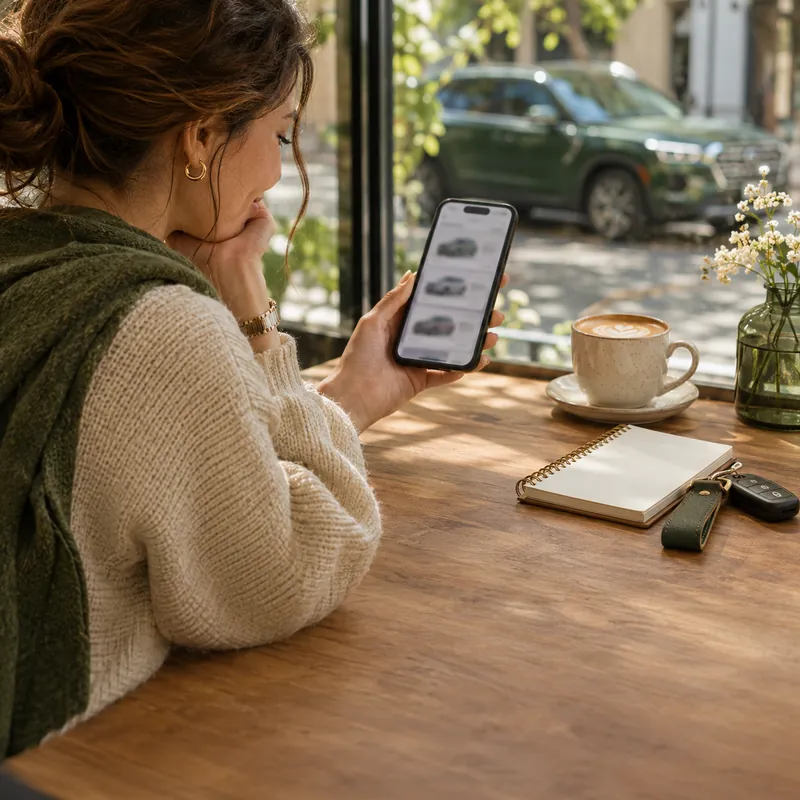
Taking time to review vehicle details on a phone.
Useful questions today can make the next step clearer.

03 / See it for yourself

A good decision
deserves a closer look.

Choose a public, well-lit place for a viewing, and let someone you trust know your plans. Take someone with you when possible.

  • Compare the vehicle with its photos and description. Ask about anything that differs.
  • Check the vehicle’s identifying details, history and ownership documents. Consider an independent inspection.
  • Understand the price and arrangements before agreeing to proceed. Take the time you need.

04 / Trust your judgment

Pressure is a reason
to slow down.

Pause when the story changes, a price seems unusually low, or someone insists on an urgent deposit before you can inspect the vehicle.

Stop and check if someone asks you to:

  • Share a password or an email verification code.
  • Pay using gift cards or an unfamiliar payment link.
  • Send money to a different person or account at the last minute.
  • Ignore missing details or skip an inspection because “another buyer is waiting.”

You can end a conversation at any time. A convincing profile or a verification badge should never replace your own checks.

05 / We want to hear about it

Something feels off?
Let us know.

Open the conversation in Inbox and choose Report. Select the reason and include relevant details. For account concerns or help using the platform, contact support.

A few things worth knowing

Clear answers.
Better decisions.

Does an identity badge guarantee a listing?

No. Identity verification relates to the account. You should still inspect the vehicle and check its ownership, condition and history.

Can everyone see my ID or selfie?

No. Documents submitted through the verification flow are not displayed on your public profile. Members see your verification status.

Where can I report a conversation?

Open the conversation in your inbox and select Report in its toolbar. For another concern, use the contact form.

A little help before you post

Selling tips

A thoughtful listing starts with clear photos. Take a few useful tips into your next post.

An illustrative seller using a phone held horizontally to photograph a green pickup truck.
Illustrative image

4 min read · Selling tips

How to Photograph Your Vehicle for a Better Listing

Good listing photos answer questions. What does the whole vehicle look like? What is the interior like? Where is the wear? You can build a useful set with a phone, a tidy location and a few deliberate choices before you start.

01

Give the vehicle room to be seen

Choose a quiet place where you are allowed to park and photograph safely. Leave enough room to walk around the vehicle without entering traffic. Clear loose items from the cabin and cargo area, and move anything with personal information out of view.

Check what appears behind and through the vehicle: signs, house numbers, paperwork and reflections can all end up in a photo. Clean the camera lens and take one test image. Zoom in on it to check sharpness before you spend time photographing the whole vehicle.

  • Use current photos of the vehicle you are selling.
  • Park safely, switch off the engine and keep the vehicle stationary.
  • Remove clutter without concealing damage or signs of wear.
02

Choose simple light and natural proportions

Soft daylight is a useful starting point. Nissan’s photography guide recommends cloudy conditions or the softer light around morning and evening to avoid harsh contrast. Walk around the vehicle and check whether shadows hide the areas a buyer needs to see.

Start with the phone’s standard camera rather than an ultra-wide view, which can distort the shape. Step back to fit the whole vehicle into the frame. Keep the phone level and leave a little room around the edges so the photo still works when displayed as a smaller card.

03

Build a set that tells the whole story

Begin with a clear front three-quarter view: the front and one side in the same photo. Then work methodically around the outside. For the interior, show the driver’s area, seats and usable storage. Let each photograph answer a different question instead of uploading several nearly identical angles.

Include the odometer and relevant controls, with the vehicle safely stationary. For a boat or RV, adapt the sequence to show the layout and equipment. Keep any documents containing names, addresses or other personal information out of the image.

  • Front three-quarter view, then the other side and rear.
  • Both side profiles and any important exterior features.
  • Driver’s area, front and rear seating, and storage space.
  • Wheels, useful equipment and close-ups of condition.
04

Make condition easy to understand

For a scratch or dent, take one wider image showing where it is and a second closer image showing the detail. Use the description to explain what the photo depicts. The wider view prevents a close-up from becoming a puzzle.

Keep color and brightness realistic. Cropping and modest exposure adjustments can make a photograph easier to read, but do not remove damage, replace parts or use generated images to represent the item for sale. If a photo is too dark to show the detail, retake it in better light.

  • Show wear that a buyer would notice during a viewing.
  • Match the written description to the photos.
  • Replace blurry images instead of relying on heavy editing.
05

Review the listing like a buyer

Choose a primary photo that shows the actual vehicle clearly at a small size. Preview the full set on your phone: can you follow the walkaround, understand the interior and find the condition details? Remove duplicate shots that do not add information.

Ask someone unfamiliar with the vehicle to look through the images and tell you what is still unclear. Add those missing views before publishing. If the vehicle’s condition or included equipment changes, update both the photographs and the description so the listing remains an accurate introduction.

Your next photo session, planned.

Photo plan: one clear cover image, a complete exterior walkaround, the seating and storage, the important equipment, and honest close-ups of wear. Check every image on a phone before publishing.

Your listing photo checklist

  • Choose a safe, uncluttered place with suitable light.
  • Clean the lens and check a test photo for sharpness.
  • Take a clear primary image with the whole vehicle visible.
  • Photograph each side, the front and the rear.
  • Show the seating, controls, storage and fitted equipment.
  • Include wider and closer views of damage or wear.
  • Check for private information and distracting reflections.
  • Remove duplicates and review the final order on your phone.

Further reading: Nissan — How to: Car Photo Tips (opens in a new tab)

Open the guide & interactive checklist

Sign in or create an account

Ask about this vehicle

Preparing your conversation…

Verify your identity

1 Document2 Selfie3 Review

A little confidence goes a long way

Use a valid government-issued identity card or driver’s license. Include all four corners and make sure the details are readable.

JPG, JPEG, PNG, WebP or AVIF · Up to 5 MB each. Your documents are only visible to our review team.

Report conversation

Conversation about

Help our team understand what happened. Choose the reason that fits best.

Report details
Why are you reporting this conversation?

Conversation feedback

Respond to feedback

Your response appears publicly below this review.

Delete conversation?

This removes the conversation from your inbox. The other person keeps their copy. If a new message arrives, the conversation will appear again.

Delete listing?

This permanently deletes the listing, its photos, videos and associated conversations. It also removes saved copies from buyers’ lists. This cannot be undone.

You have unsaved changes

Keep editing to finish your changes, or leave this page.

Share this find

Seller identity verified

A verified identity behind the listing

This badge means our team has reviewed this seller’s identity and marked it as verified.

Identity verification applies to the seller. It does not certify the vehicle’s condition, ownership or a transaction.

Identity verification explained

Shop by category

What are you looking for?

Browse all vehicles