Boats 4 min read

Questions to Ask Before Buying a Used Boat

A practical conversation guide for the history, equipment and inspection behind a boat listing.
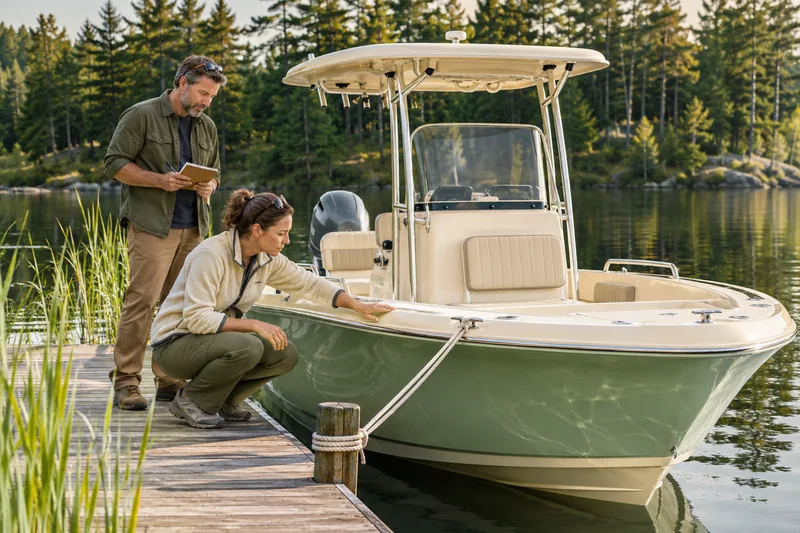
An illustrative green-hulled boat at a wooden dock while two people inspect it.
Illustrative image

The right boat depends on the days you want to have: quiet fishing mornings, family outings or longer trips. Use the first conversation to understand the boat’s history, then arrange a closer look with the people qualified to assess it.

Before you begin

A conversation, an on-water assessment and an independent survey answer different questions. Plan for each as appropriate to the boat.

Ask about the life it has already had

Ask where the boat was used, how it was stored and how often it went out. Find out which maintenance was done by the owner and which work was carried out professionally. Request records rather than relying on a phrase such as ‘always maintained.’

Compare the seller’s description with your intended use. A boat that suited short fishing trips may be configured differently from what you want for family days out. Discuss passenger space, storage, boarding and the equipment you expect to use. Make a list of the unanswered questions before arranging the visit.

  • Has it been used in fresh water, salt water or both?
  • What repairs or modifications have been made?
  • What is included in the sale, and what will the seller remove?

Get specific about records and identifiers

Request the boat’s identifying details and ownership documents, and check that the information matches. Keep the hull, engine and trailer details separate in your notes so that one does not stand in for the others. Ask about any outstanding finance and confirm the transfer requirements with the relevant registration authority.

Ask for engine-service records and have an independent marine mechanic assess the engine. Treat hours as one piece of context alongside use, care and condition. Write down the equipment list and make sure it reflects what you will actually receive.

Further reading: California State Parks (opens in a new tab)

Make the dock visit useful

Walk through the layout with the seller and ask them to demonstrate the fitted equipment. Take notes on anything that cannot be shown working. Photographs of a dry, clean deck are useful, but they do not reveal everything a surveyor will need to assess.

Ask an independent marine surveyor about the appropriate scope, including any out-of-water inspection. Agree in advance who will arrange access and any haulout. BoatUS describes an in-water inspection, a haulout and a trial run as typical elements of a prepurchase survey; the exact work should be agreed with your surveyor.

Further reading: BoatUS (opens in a new tab)

Arrange an appropriate on-water assessment

Ask about an on-water trial before you make a final decision. Agree who will operate the boat and allow for suitable weather, conditions and safety equipment. The purpose is to understand operation and allow professional checks, not to test the boat’s limits yourself.

If a trailer is included, give it its own inspection. Discover Boating recommends checking trailer tires, bearings and lights alongside the boat inspection. Confirm that the tow vehicle and trailer combination is suitable with a qualified professional before planning collection.

Further reading: Discover Boating (opens in a new tab)

Leave room for the answers

After the visit, list the points you understand, the work a professional has identified and the questions still open. Ask for written findings and estimates where repairs are needed. Discuss the results with the seller before deciding what you are comfortable taking on.

Allow time to understand mooring or storage, transport and ongoing care. If the sale depends on an inspection or other condition, make sure the written agreement reflects it and obtain qualified advice where needed. A survey offers an assessment within its scope; it is not a promise that every hidden defect has been found.

Further reading: California State Parks (opens in a new tab)

A little help to take along

Your boat-buying questions

Check off what you have covered. Keep your open questions for the next conversation.

Your boat-buying questions

Checking every item records your progress; it does not certify a vehicle or a seller.

Keep learning

Useful reading from the organizations referenced in this guide.

Your next chapter

Find a boat that fits the days you have in mind.

Explore Boats What identity verification means
A little help before you post

Selling tips

A thoughtful listing starts with clear photos. Take a few useful tips into your next post.

An illustrative seller using a phone held horizontally to photograph a green pickup truck.
Illustrative image

4 min read · Selling tips

How to Photograph Your Vehicle for a Better Listing

Good listing photos answer questions. What does the whole vehicle look like? What is the interior like? Where is the wear? You can build a useful set with a phone, a tidy location and a few deliberate choices before you start.

01

Give the vehicle room to be seen

Choose a quiet place where you are allowed to park and photograph safely. Leave enough room to walk around the vehicle without entering traffic. Clear loose items from the cabin and cargo area, and move anything with personal information out of view.

Check what appears behind and through the vehicle: signs, house numbers, paperwork and reflections can all end up in a photo. Clean the camera lens and take one test image. Zoom in on it to check sharpness before you spend time photographing the whole vehicle.

  • Use current photos of the vehicle you are selling.
  • Park safely, switch off the engine and keep the vehicle stationary.
  • Remove clutter without concealing damage or signs of wear.
02

Choose simple light and natural proportions

Soft daylight is a useful starting point. Nissan’s photography guide recommends cloudy conditions or the softer light around morning and evening to avoid harsh contrast. Walk around the vehicle and check whether shadows hide the areas a buyer needs to see.

Start with the phone’s standard camera rather than an ultra-wide view, which can distort the shape. Step back to fit the whole vehicle into the frame. Keep the phone level and leave a little room around the edges so the photo still works when displayed as a smaller card.

03

Build a set that tells the whole story

Begin with a clear front three-quarter view: the front and one side in the same photo. Then work methodically around the outside. For the interior, show the driver’s area, seats and usable storage. Let each photograph answer a different question instead of uploading several nearly identical angles.

Include the odometer and relevant controls, with the vehicle safely stationary. For a boat or RV, adapt the sequence to show the layout and equipment. Keep any documents containing names, addresses or other personal information out of the image.

  • Front three-quarter view, then the other side and rear.
  • Both side profiles and any important exterior features.
  • Driver’s area, front and rear seating, and storage space.
  • Wheels, useful equipment and close-ups of condition.
04

Make condition easy to understand

For a scratch or dent, take one wider image showing where it is and a second closer image showing the detail. Use the description to explain what the photo depicts. The wider view prevents a close-up from becoming a puzzle.

Keep color and brightness realistic. Cropping and modest exposure adjustments can make a photograph easier to read, but do not remove damage, replace parts or use generated images to represent the item for sale. If a photo is too dark to show the detail, retake it in better light.

  • Show wear that a buyer would notice during a viewing.
  • Match the written description to the photos.
  • Replace blurry images instead of relying on heavy editing.
05

Review the listing like a buyer

Choose a primary photo that shows the actual vehicle clearly at a small size. Preview the full set on your phone: can you follow the walkaround, understand the interior and find the condition details? Remove duplicate shots that do not add information.

Ask someone unfamiliar with the vehicle to look through the images and tell you what is still unclear. Add those missing views before publishing. If the vehicle’s condition or included equipment changes, update both the photographs and the description so the listing remains an accurate introduction.

Your next photo session, planned.

Photo plan: one clear cover image, a complete exterior walkaround, the seating and storage, the important equipment, and honest close-ups of wear. Check every image on a phone before publishing.

Your listing photo checklist

  • Choose a safe, uncluttered place with suitable light.
  • Clean the lens and check a test photo for sharpness.
  • Take a clear primary image with the whole vehicle visible.
  • Photograph each side, the front and the rear.
  • Show the seating, controls, storage and fitted equipment.
  • Include wider and closer views of damage or wear.
  • Check for private information and distracting reflections.
  • Remove duplicates and review the final order on your phone.

Further reading: Nissan — How to: Car Photo Tips (opens in a new tab)

Open the guide & interactive checklist

Sign in or create an account

Ask about this vehicle

Preparing your conversation…

Verify your identity

1 Document2 Selfie3 Review

A little confidence goes a long way

Use a valid government-issued identity card or driver’s license. Include all four corners and make sure the details are readable.

JPG, JPEG, PNG, WebP or AVIF · Up to 5 MB each. Your documents are only visible to our review team.

Report conversation

Conversation about

Help our team understand what happened. Choose the reason that fits best.

Report details
Why are you reporting this conversation?

Conversation feedback

Respond to feedback

Your response appears publicly below this review.

Delete conversation?

This removes the conversation from your inbox. The other person keeps their copy. If a new message arrives, the conversation will appear again.

Delete listing?

This permanently deletes the listing, its photos, videos and associated conversations. It also removes saved copies from buyers’ lists. This cannot be undone.

You have unsaved changes

Keep editing to finish your changes, or leave this page.

Share this find

Seller identity verified

A verified identity behind the listing

This badge means our team has reviewed this seller’s identity and marked it as verified.

Identity verification applies to the seller. It does not certify the vehicle’s condition, ownership or a transaction.

Identity verification explained

Shop by category

What are you looking for?

Browse all vehicles